Showing posts with label Combat Track. Show all posts

Sunday, September 18, 2016

Using The Combat Track - Attacking and Evading

After having posted the combat track up for download i thought i might go over an example of how it's used.  Much of this goes over the rules in the Mechanics - Combat download, but also included pictures for reference.

The Combat Track is a simple tool used to keep track of relevant combat details during a round. Basically it is a ruler, but instead of measuring distance it keeps track of difficulties, poise values, and how much an attack has been boosted. This can be especially useful when using combos for keeping track of the current poise of an enemy.

Using the Combat Track to Make Attacks
After spending the stamina to make an attack move or combo, place a marker along the track at the number needed to hit for the attack move being used.

The To Hit Value Needed For This Attack Move is 6
Then place a second marker at the value that indicates the target's poise value. 

The Value Needed to Stagger This Target Is 9
If you wish to spend any stamina to boost the attack, place your stamina tokens starting at 1 and proceeding up the track. 

This Player has spent 3 points of available stamina to boost this attack
placing them on the stamina boost track
Roll a d8 and place it a number of spaces equal to the value rolled past the last stamina token on the stamina boost track. 

The D8 Rolls a result of 4, so is placed 4 spaces beyond the stamina spent to boost
3 stamina plus a roll of 4 lands the d8 at space 7
If the die is directly below or passes the target number it hits.  If the result of the die roll places the die directly below or beyond the stagger die, the target is both hit and staggered for the rest of the round!

The results of the die roll indicate that the attack Hit, but was not high enough to stagger the target
In the case of making a combo, for each move in the combo beyond the first slide the poise marker down by one,  

For the second attack in the combo the poise of the target is reduced by 1 down to 8
this makes the target easier to stagger
readjust the difficulty if necessary for the next move in the combo and repeat the above process.

The second move in this combo is harder to hit with, so the to hit marker was set to 7.
4 stamina was then spent to boost the attack after which a 5 was rolled on the d8
the final position of the d8 is 9 which both hits and staggers the target!
If a target becomes staggered, any subsequent attacks that target them automatically hit!


Using the Combat Track to Evade Attacks
The combat track can also be used to simplify the process of being attacked over a round.
At the start of an enemy round, or the first time being attacked in a round, place a marker on the space indicating your character's Poise value

This Character's Poise Value is 7
When being attacked, your opponent will force you to roll a number of evasion dice.  These dice range from d4's all the way up to a d20's.  The higher the number of sides on a die, the harder the attack is to evade.  Once the evasion die being rolled has been determined count the number of sides on the die and spend one point of stamina.  Place the point of spent stamina on the stamina boost track equal to the number of sides on the evasion die. ie 6 for a d6

The attack being evaded is a d6, the die has 6 sides,
 so the character spends a single point of stamina to evade, placing it in space 6
Now you may choose to spend further stamina, placing them on the boost track to the left of the initial stamina token.  Each point of stamina spent will make it easier to evade the incoming attack.

This Character has spent 3 additional points of stamina to try and evade the incoming attack
in total this character has spent 4 stamina so far
After boosting your evade with stamina, roll the evasion die.  The number of stamina spent creates a "safe zone", if the evasion die rolls equal to any values corresponding to a stamina point, the attack is evaded and does no damage.  Successfully evading an attack allows the character to immediately make a free maneuver possibly taking the character out of range of further attacks.

The Evasion Die rolled a 4,
the attack is evaded as there is also a point of stamina in location 4,
no damage is taken and the character makes a free maneuver
Being hit by enemy attacks reduces your ability to maintain a steady defense. Each time you are hit by an enemy's attack, reduce your poise on the track by 1 point.

After being hit by an enemy attack the character reduces their poise from 7 to 6
if the evasion die rolls a 6 or greater on a subsequent attack the character will be staggered.
Follow the above steps for evading subsequent attacks.  If the evasion die ever rolls high enough to reach or exceed the character's poise, the character will be staggered. (see being staggered below)

This character spends 4 stamina to evade the attack with a poise of 4,
The evasion die rolls a 6, exceeding the character's poise, staggering them,
 however they still successfully evade this attack as the 6 space is also occupied by a stamina point.
The character makes their free maneuver and and is then staggered for the rest of the round.
If a character cannot spend stamina to evade an attack, or chooses not to, the character may try to block the attack, adding extra protection of a shield or a weapon against the damage of an incoming attack. In this case roll the evasion die anyways to determine if the character is staggered or not.

This time the character was attacked but could not spend any stamina to evade so choses to block instead.
The character currently has a poise of 6 and the evasion die rolls a 3,
 the character is hit and takes damage reduced by their protection
The character is not staggered however as the evasion die did not roll 6 or greater
Staggered
Being staggered is not a good situation for a character to be in.  The staggered condition lasts till the end of the round and affects the character in the following ways:

     - The Character is automatically hit by attacks
     - The Character may not evade attacks
     - The Character may not block attacks
     - The Character may still roll for Luck

Luck
Sometimes luck will intervene in unexpected ways, 

When being attacked, before rolling an evasion die, roll a luck test.  If the test passes the attack misses and the die is discarded.  This does not count as evading the attack, but prevents all potential effects of it.


Combat Track - Player Resource Download

A print-out of the black and white, premium combat track in action

Today i'll be adding the Combat Track player resource to the downloads section.   There have been a few design changes since the initial layout, mainly the addition of a second track used solely for stamina spent to boost an attack or evasion. The top track is used for placing roll targets numbers, like "To Hit" values and "Poise" values.

There is much more to discuss regarding the combat track, but i'm going to save that topic for later and keep this short and sweet.  Check out the download link below.

Download - Black and White Combat Tracker (Basic PDF)

For the premium version as pictured above in both colour and black and white, check out the Shards Patreon Campaign.  This download is available at all reward levels.

Till Next Time

Wednesday, September 14, 2016

DIY - Combat Tracker

The DIY Combat Tracker
(a little rough around the edges, but it works well)

Today I have a little project for you, this is my hand made combat tracker.  Before i get into how it's made i'll go over a few of the finer points of what a combat tracker is. (If only want to know how to make the combat tracker, scroll down to the "How it is Made" part of this post)

Ever looking for better ways to organize my games and make them easier for people to play i came up with this little contraption, it is a compartmentalized organizer or in other words, a place to keep track of stats and token expenditures all in one convenient little place.

When making an attack move there are four important factors to keep track of ; The target number needed to hit, The Poise Attribute of your Target, How much Stamina you spend to boost the move, and your actual die roll, in the picture above, a d8.  First you would place a token in the compartment with the number needed to hit (represented by the bright red token), and then place a token in the compartment with the target number to stagger your opponent (their Poise, represented by the dark red token).  Next you need to decide on how much stamina you'd like to spend to boost (represented by the light blue tokens)

After all the tokens are in place, roll the d8 and move it up the track from the last stamina token.  If the die lands on or passes the "To Hit" token, the attack hits.  If the die lands on or passes the "To Stagger" token, then the target is staggered.

The Combat Tracker can also be used when evading attacks. Place a token at the highest value of the evasion die being rolled.  Spend Stamina Points to evade and place them in the track in descending order from the first token.  Lastly roll the die and place it next to the associated value on the track, if the die rolls onto a space filled in with a token, the attack is evaded and no damage is done.

All in all a very useful too for visualizing what is going on when making Attack Moves and Evading.


How it is Made

First off you will need;
-A sheet of Plaskolite Egg Crate Louver. This will help make the compartments for our tray.  
-A sheet of foam core to make the tray that the insert will sit in.  
-A sharp cutting utensil to cut the foam core neatly.
-A pair of durable clippers to cut the Louver (do not use your fine model clippers for this job)
-A low-temperature hot glue gun to glue the foam core together


A section of Louver, This piece will be big enough
Take a piece of the louver with at least 20 consecutive spaces not counting the edges squares of the material as the plastic is only half the full height.

don't use your best model clippers,
a pair like this will work fine
 Make sure to have a pair of durable clippers on hand.  I wouldn't risk using your nice modeling clippers on this project, as they might be damaged by this material, instead use a more utility pair like this.

Marking off the Louver with a Permanent Marker
 Mark out where you want to cut on the louver with a marker. This assures you get the right number of segments.

Clipping the Louver,
Being Careful Not To Snap Our Tray Insert
Carefully cut out your tray insert with your clippers.  Try to do this gently as the plastic is brittle and your the compartments may break if too much force is applied in the wrong direction.  If a compartment does break, don't worry, carefully glue it back together with CA glue and continue on.

A Cut Out Insert, 20 Segments in Length
 Here we have our near finished insert.  Use the clippers to trim any excess plastic poking out from the sides of our insert.

Marking Out The Foam Core for Cutting
Carefully on a piece of foam core, outline the pieces needed for the base of your tray, two side walls and two end caps.  The dimensions i used was 13" x 1" for the tray base, 13" x 1/2" for the side walls, and 1-1/2" x 1/2" for the end caps.

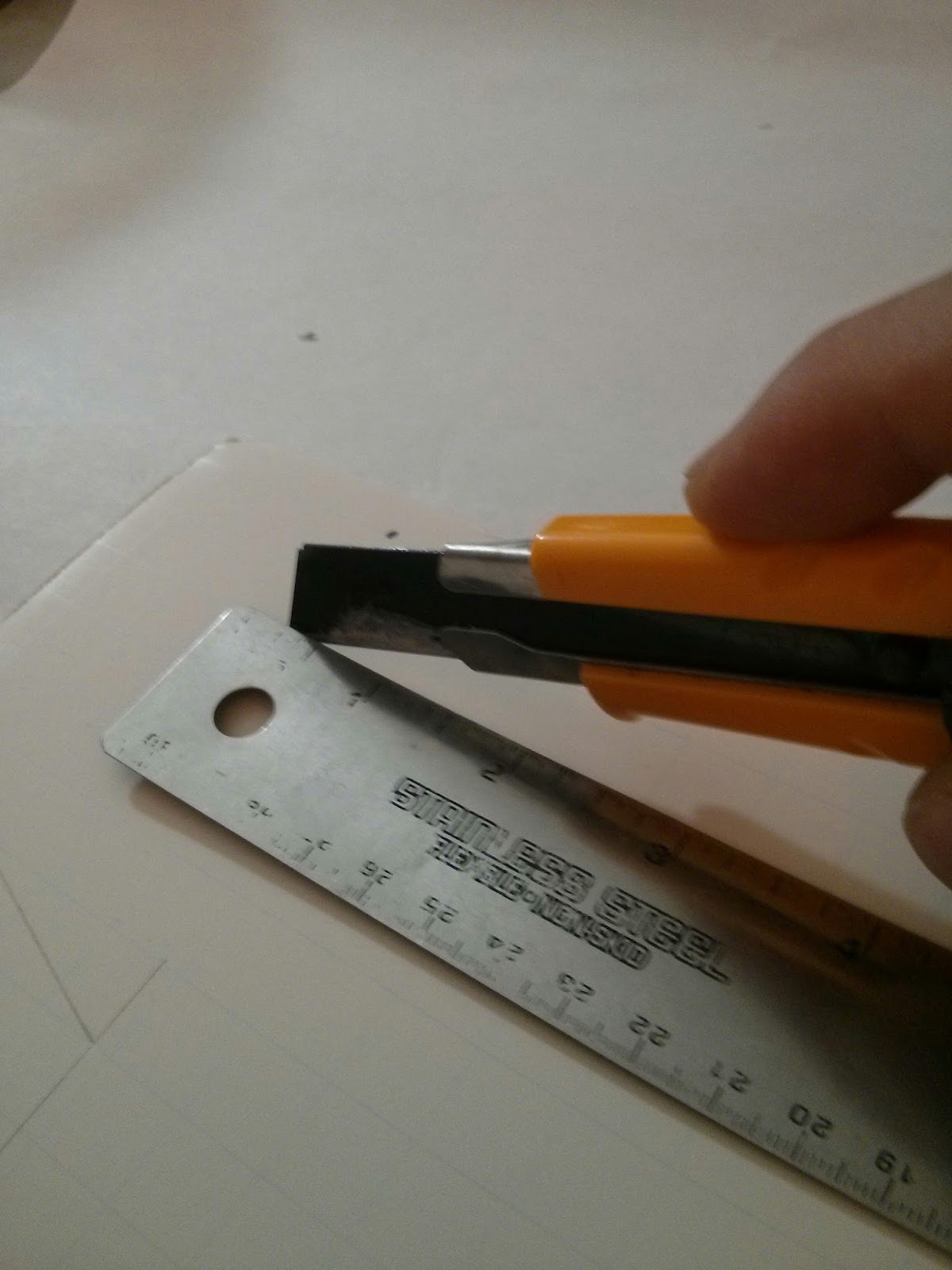
Cut Carefully Using a Sharp Blade and a Straight Edge
Using a sharp blade is important.  If you use a dull blade to cut this material, the cuts will be jagged and rough.  Take all precautions necessary, unless you want a unpleasantly acquired blood red finish to your combat tray.

All the Components
 Here are all the pieces laid out ready for assembly.  Using a low-temperature hot glue gun (high temp will destroy the foam core and your fingers) glue the walls and the endcaps to the outside edge of the tray base resulting in something like you see below.
The Assembled Tray Beside the Insert
 Do not glue the insert into the tray, this will make it easier to remove dice and tokens you place in the tray allowing for quick play.

The Insert Fits Neatly Inside the Tray
Place the insert inside the tray, and mark out the numbers inside each compartment.

Mark the Numbers in the Bottom of the Tray and You're Ready to Play
And there you have it, your very own combat track ready to go

You can try Other Shapes as well,
Fits an Assortment of Dice and Tokens
If you want your combat track to take up a more compact area of your play space, try using different shapes of insert.  the one above is a 25 compartment square that fits neatly in my play area. The trays also hold the small d6's available from chessex perfectly.

In the future i will make printout resources available for creating your own 2d combat tracks, or you could glue them into the base of your own 3d combat track as a veneer.

Hope you enjoyed this little tutorial, and maybe inspired you a little for your own projects

Till Next Time
-Tom K.